19 designs · free to start · live in three minutes
Your GitHub, continuously published.
Connect GitHub once. Forkfolio builds your portfolio from your real work, keeps it in sync every night, and lets you switch between 19 designed looks in one click. Its assistant answers visitors' questions about your work, and never pretends to be human.
01
Connect GitHub
One OAuth click. Repos, pinned projects, languages, and activity flow in. No forms, no uploads.
02
Pick a look
3 free templates on day one, 16 more to unlock. Same data, new skin. Switch anytime.
03
Share your link
you.forkfolio.dev stays in sync every night, forever. Put it in your bio and forget about it.
19 designs, one click apart.
Each one is filled with your own projects and moves as you scroll. Hover a card to watch it. Start with 3 free, unlock the other 16 with Pro, and switch whenever you like.
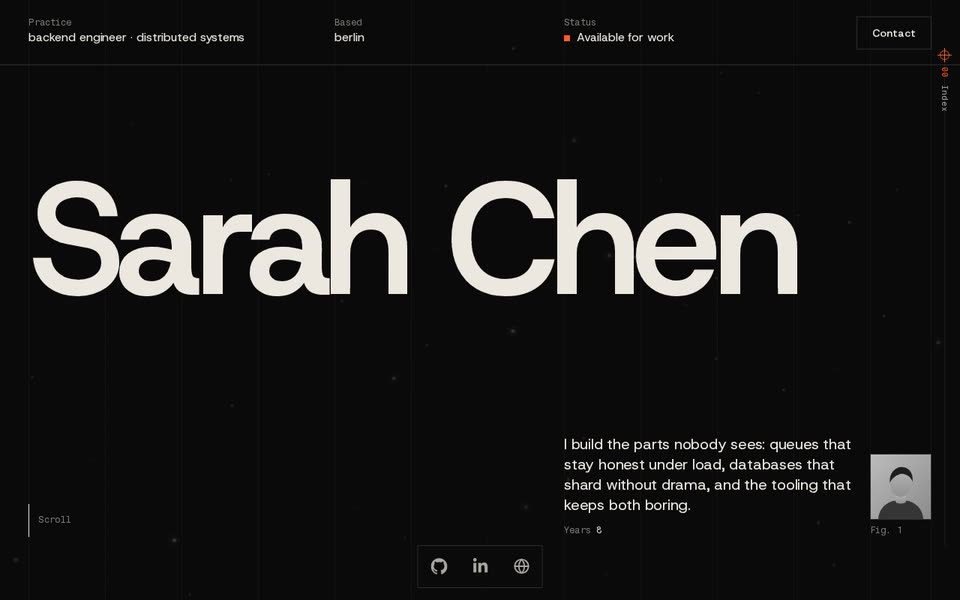
MinimalFree
A Swiss type specimen on black that the scroll typesets: your name splits to reveal the work, each project pins as a plate, skills run as marquee lines.
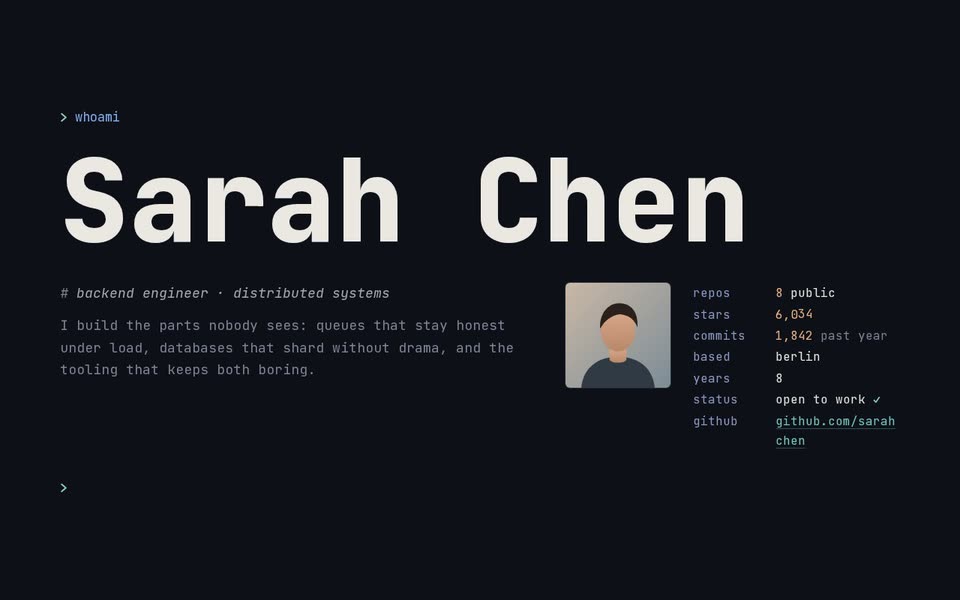
TerminalFree
A terminal session you read by scrolling, in calm graphite: the screen frames itself into a window, your name set huge in the terminal's own type, every section a command and its output in a pane, each project's picture streamed in row by row.
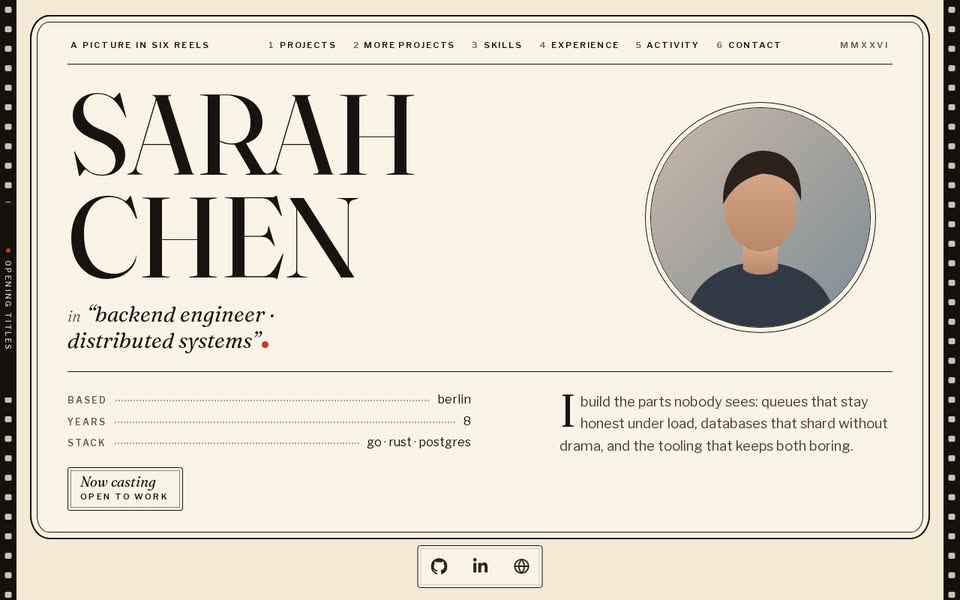
Rubber HoseFree
A 1930s cartoon short restored and shown at a great old cinema: your name on its title card, each project projected in its own colours in the gate and changed by its own edit, and one red dot that lands as each title's full stop until the iris closes on The End.
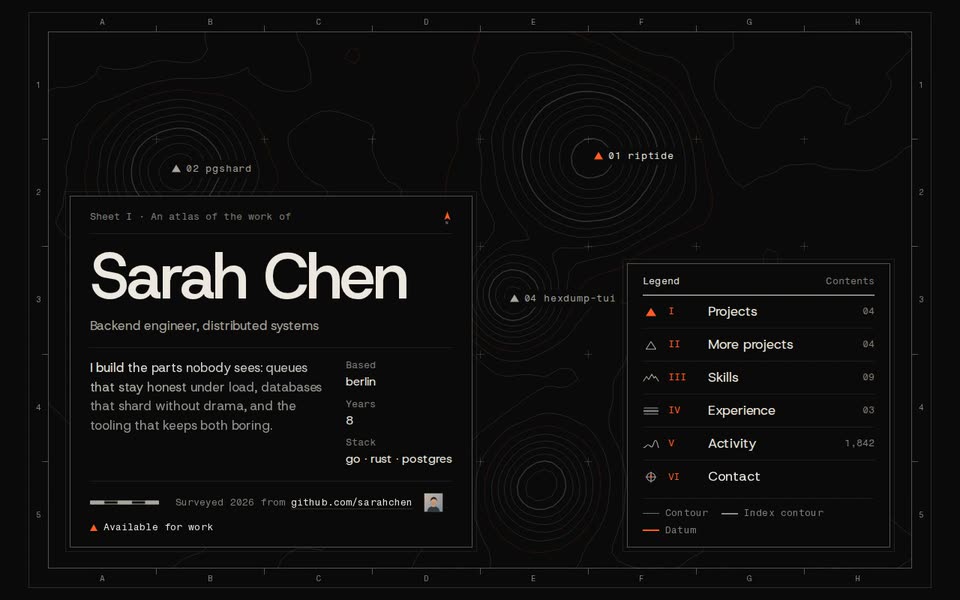
AtlasPro
Your work as a relief atlas: a title sheet with its neatline, cartouche and legend, a living contour map under every page, each project shown by its own picture on its own summit.
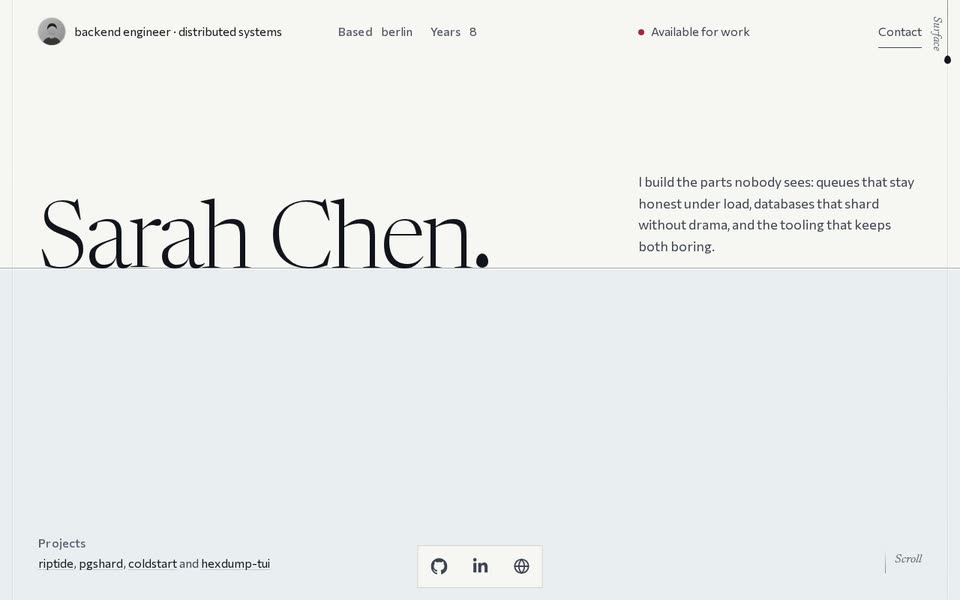
InkPro
Wet paper behind glass and one unbroken line of sumi: it leaves the full stop after your name and grows down the page as you scroll, looping round the open paper, uncovering each project's real picture as it passes, and ends as the full stop of Contact.
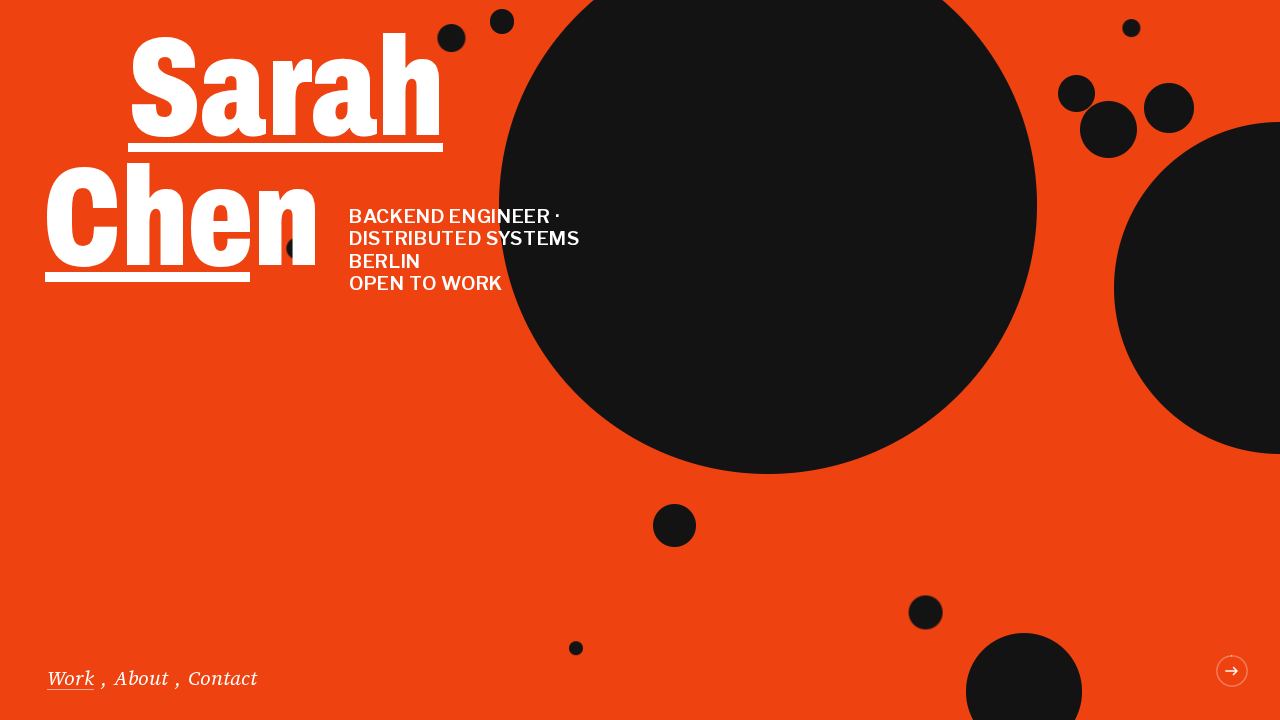
OrbitPro
A red-orange first screen with your name in heavy condensed caps among flat black discs sized by your languages, then the scroll turns the camera sideways: an amber ring wipes the red to violet for your story, one long strip of cream paper slides past with each project on a black tape-label board under a tilted print while its flat shapes roll, swing and land around it, then white columns of your experience, skills and activity, ending on a red Contact screen that echoes the first.
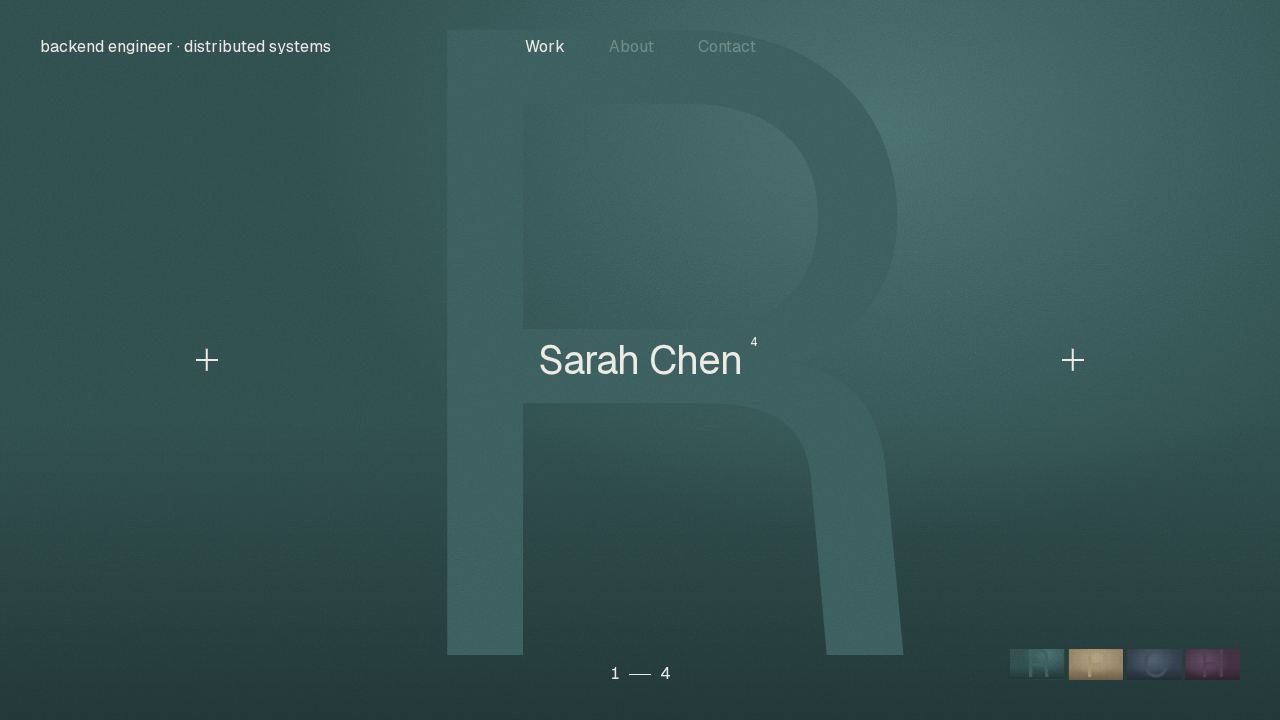
DriftPro
A near-black page where your pictures do the talking: your name over your first project's picture, full-bleed, which the scroll shrinks into the centre card of a row of tall pictures dealt out of a thumbnail strip, then the row slides sideways under the name of the one at mid-screen and slides away into a quiet column of your story, experience, skills and contact with a small text map of the page beside it.
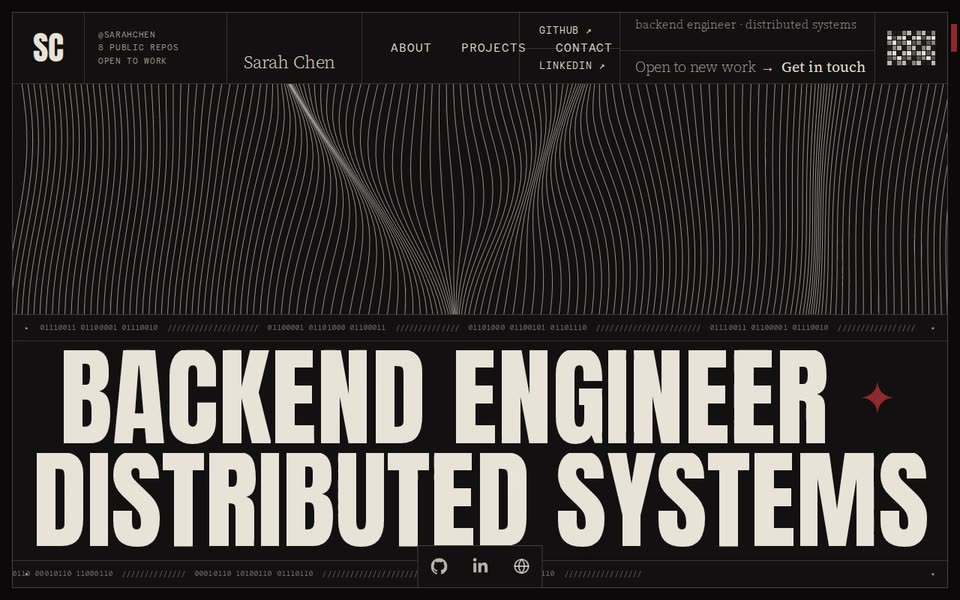
ContourPro
A near-black framed page of hairline cells: fine contour lines drift across the first screen above your role in giant condensed caps whose letters roll one at a time as you scroll, then your figures, skills and experience in cells that each uncover their own way, a doorway into a wall of giant W O R K letters where each project's window flies in and stops at mid-screen, a floor of words crawling to the horizon, and a disc that opens onto your address.
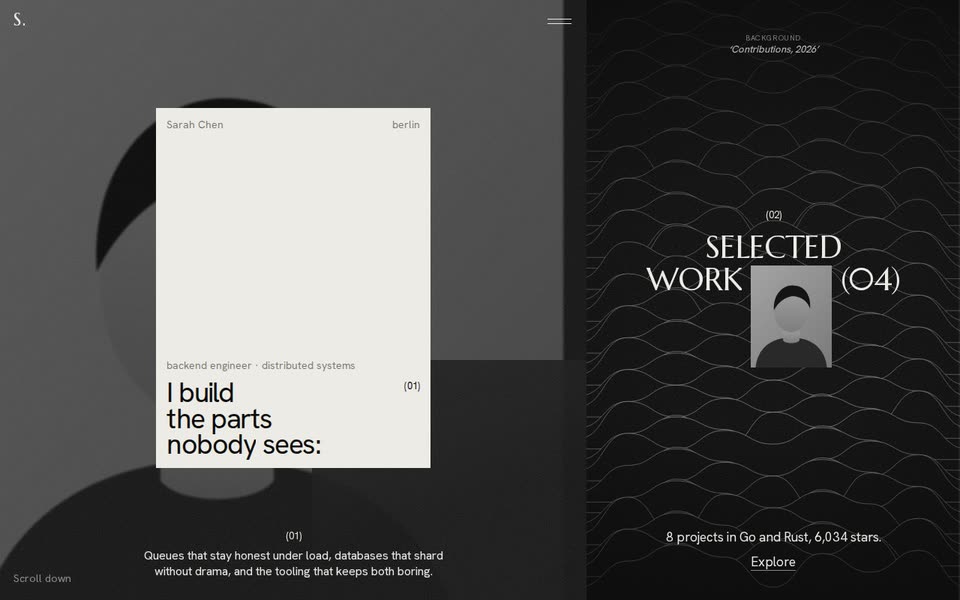
OverturePro
A counter climbs to 100 on black, then a split screen: the first line of your bio as a big statement on an off-white card beside your grainy avatar, then each project takes the screen as a framed picture or cover while a side index with a huge rolling number marks the one at mid-screen, down to about, skills, a year of activity and contact on the same near-black ground.
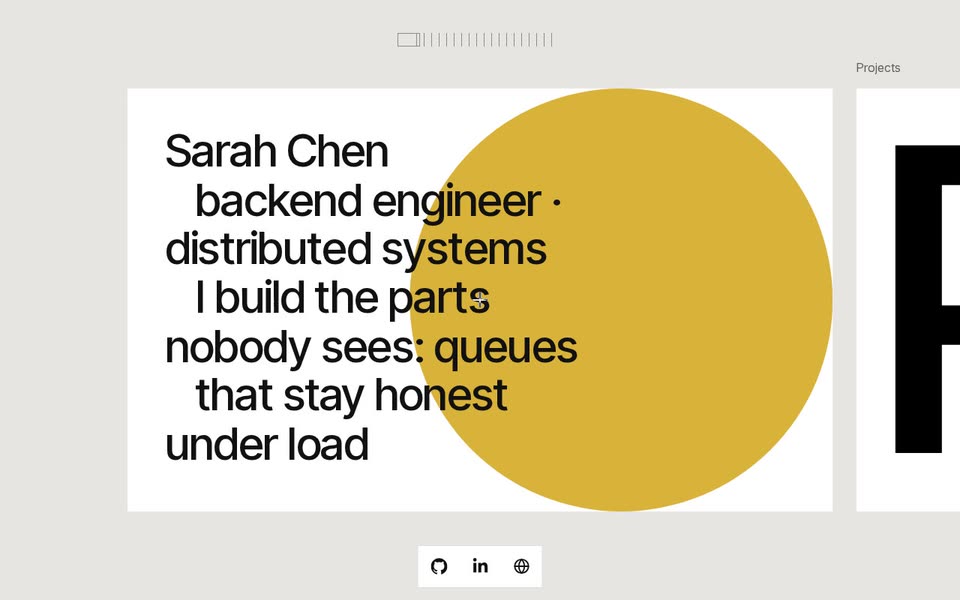
SpreadPro
A grey board with one long row of white cards that slides sideways as you scroll down: your name and bio on the first card over an ochre disc, then your sections as giant black words cropped by their cards, every project a card whose cover moves its own way, and on phones the same cards in a stack.
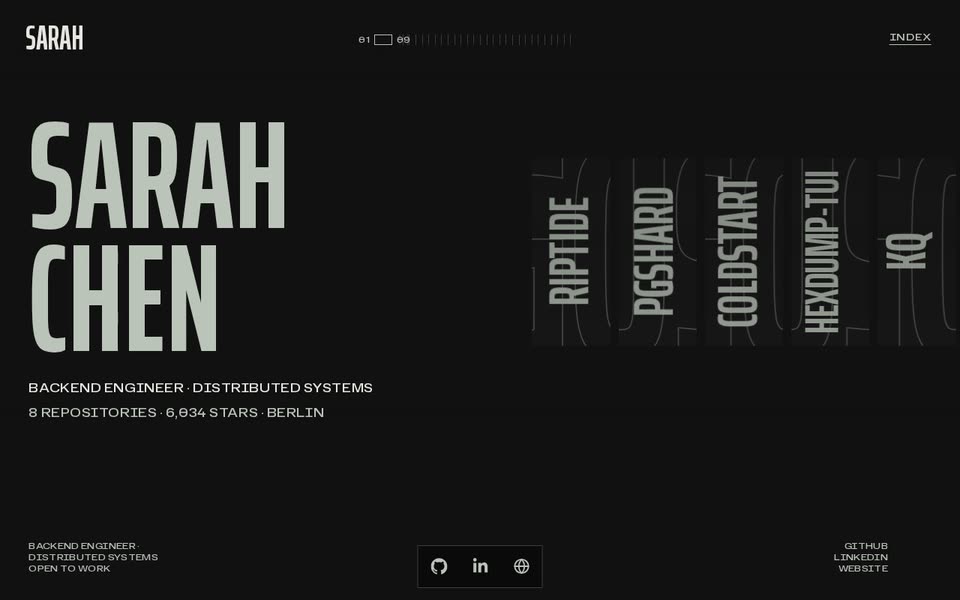
ShutterPro
A near-black page in condensed off-white caps: your name as a giant block beside a filmstrip of thin greyscale slices of your project pictures, which slides sideways as you scroll and opens the slice at mid-screen into a full plate under its name in giant caps, then your real figures beside your avatar cut into seven slices, your other repos each opening its own way, skills as columns of data, a ruler for every role, a year of week ticks, and two edge plates closing in round your address.
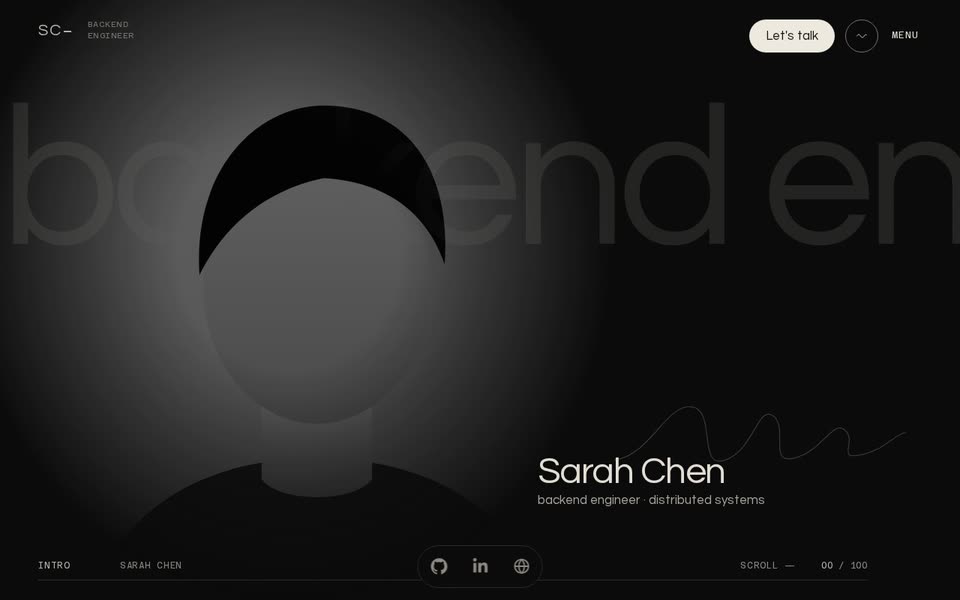
AperturePro
A long black film in warm cream type: your initials form a monogram, your name and languages rise line by line into a wall, your top project's real picture drops in as a round aperture that opens, pulls back and turns in-plane through four short chapters of your own story, then your skills sit on three glossy flat shapes, your projects slide along a hairline, your year's contributions run as three waves, and your name closes the page letter by letter from the centre.
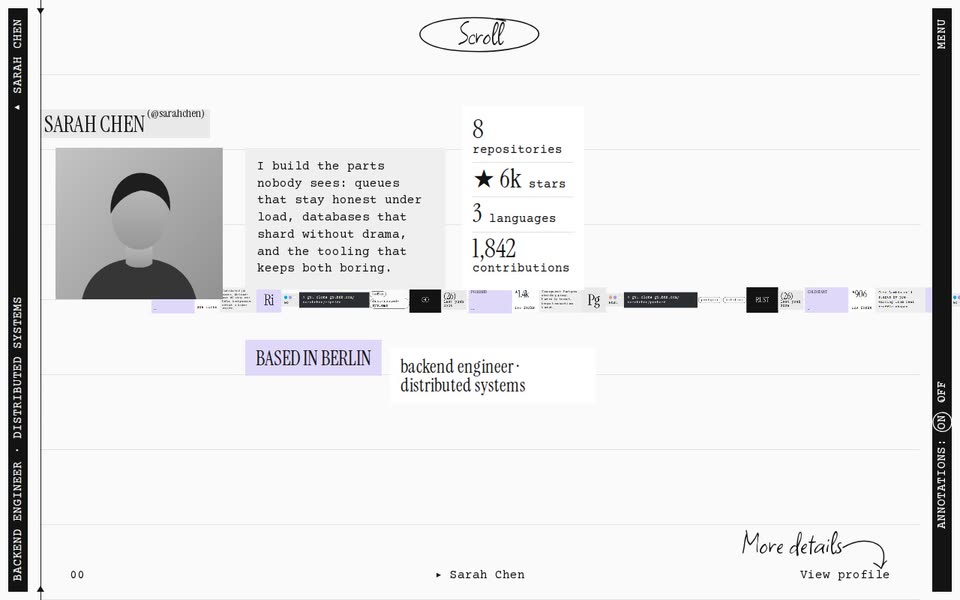
MontagePro
A filmstrip on ruled paper between two black film rails: a thin strip of tiny tiles of all your work slides under a playhead, and as each project reaches the middle it bursts into a loose collage of its real pictures, language swatch, name label and stars card, then gathers back as the next one bursts its own way, until a black band rises on a stepped edge of your contribution weeks with your bio closing in from wide tracking, and lifts off onto the paper to write to you.
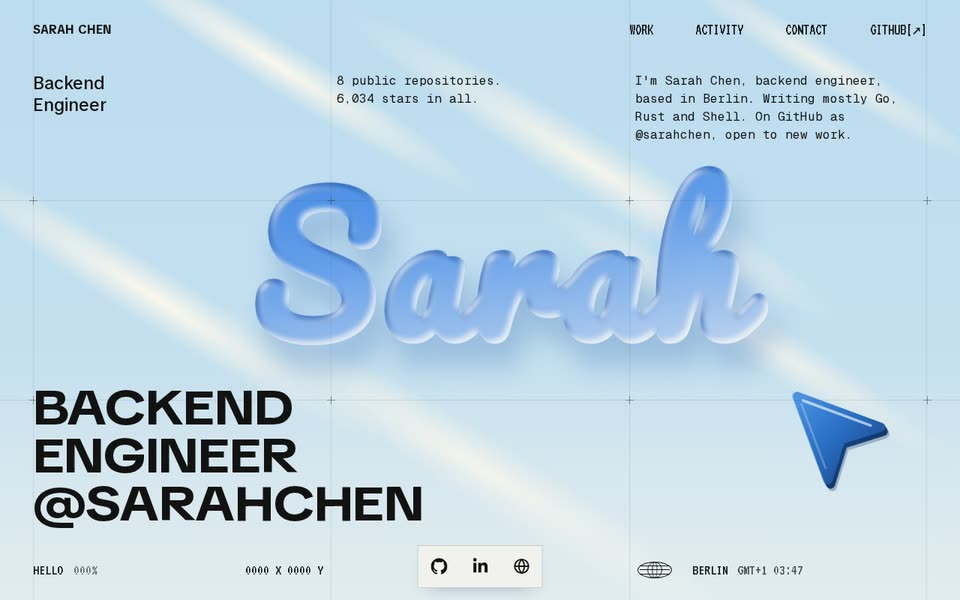
SkylightPro
A summer sky over a drafting grid: your first name floats as a glossy inflated word with a blue pointer aimed at it, the sky bleaches to chalk as your projects slide into their cells on a crosshair grid, then the pointer grows until its face fills the screen and carries you into night-blue space, where your career, skills and certificates fly in through speed lines, and back out into the sky to write to you.
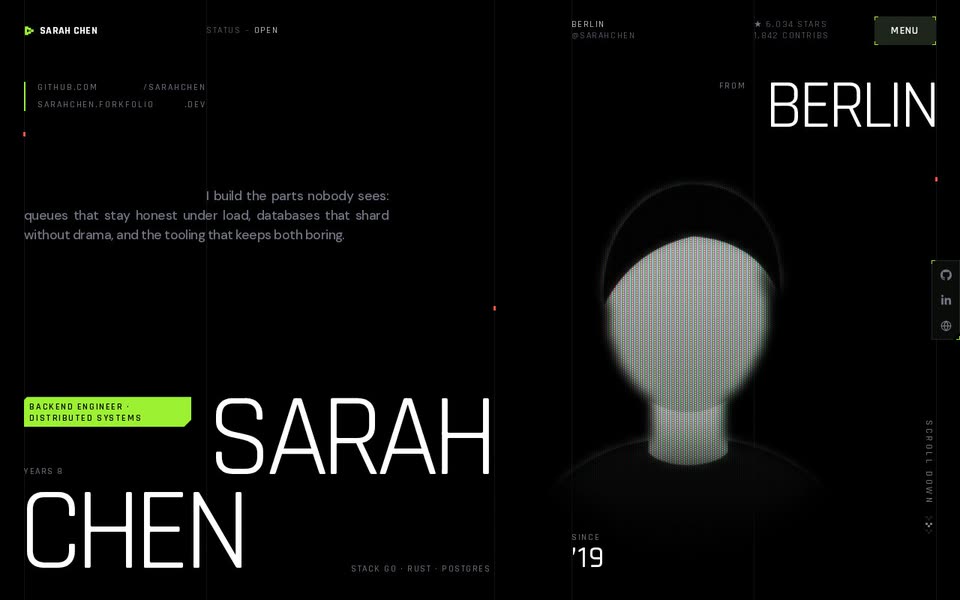
DitherPro
A tactical HUD on near-black and acid lime: your photo glows as a CRT bust beside your name, your bio types itself across the screen in a glyph wave, lime cells wipe in a board of your numbers, your projects ride a circuit trace sideways, and at the end the lime develops up through a dot screen into your contact slab.
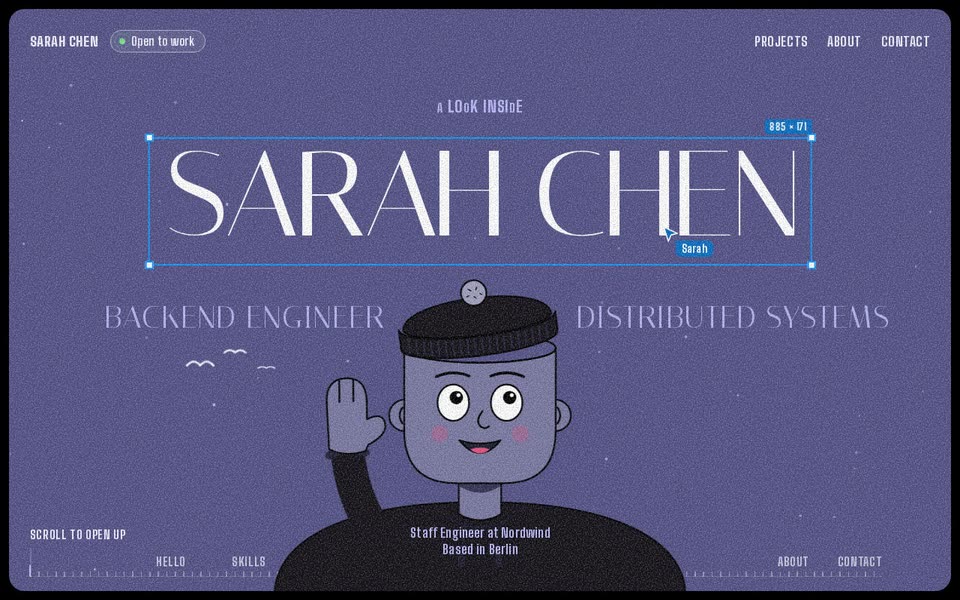
LucidPro
An illustrated world on a grainy dusky violet ground that you step inside: your name sits in a design tool's selection box over a drawn bust, the first scroll lifts its cap and dives through a tunnel of rings into your chapters, each on its own flat colour, and the last scroll flies back out to the opening picture with your contact links on the shirt.
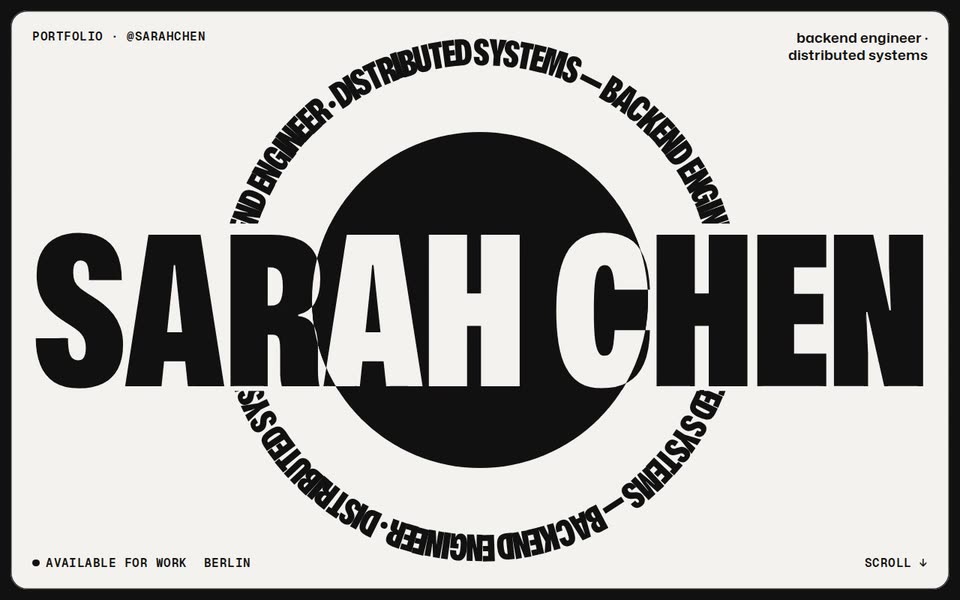
PosterPro
A run of full-screen posters in black and white by turns, inside a thick black frame: your name huge across a black disc in a turning ring of your title, then your projects as a deck of rounded cards that slide up over each other, each real picture in a great circle, and every list read under a band of the other ink.
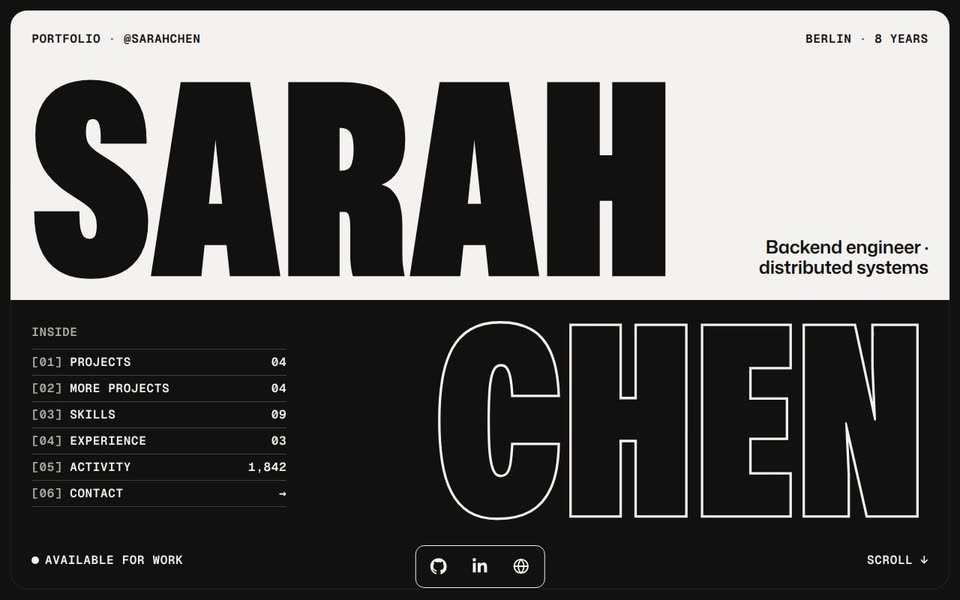
KeylinePro
Poster's sibling where the type is the picture: every section one giant word, solid black on the paper and a fine paper keyline on the black, inside a thick black frame. Your name opens half solid, half outlined, and each sheet that rises from the foot changes the weight of every letter it passes, solid to keyline and back.
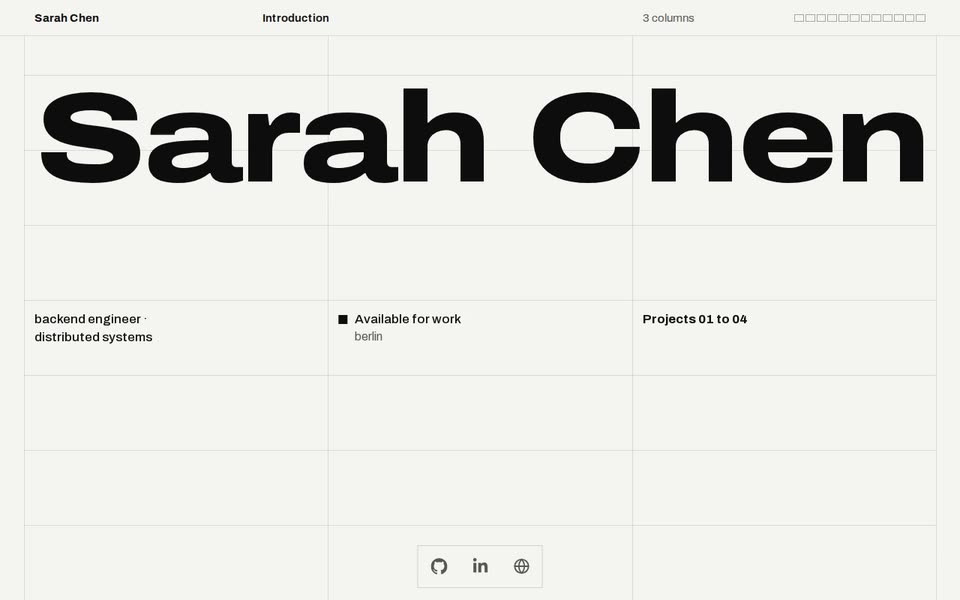
RasterPro
A Swiss page on a visible hairline grid: the columns divide and your name condenses to stay locked to them, then every section climbs in on its own floor through a staircase cut, black and white by turns, each project's picture set onto the grid its own way, and the grid itself becomes your year of commits.
An AI assistant, clearly labelled as one
Every site ships with a retrieval-based assistant that answers only from your public repositories, README files and résumé - never the internet's guesses. It says it is an AI in the chat window and whenever a visitor asks, so nobody is left thinking they reached you in person. You can switch it off entirely.
Interrogate mine →Honest pricing
Free
$0
- Portfolio live in 3 minutes
- 3 templates, switch anytime
- AI assistant, disclosed as AI
- Nightly auto-sync, forever
- Made-with-Forkfolio badge
Pro
$19$29once
Launch price. One payment, yours for good. No subscription, nothing to cancel.
Start with GitHubEverything in Free, plus
- All 19 templates, including animated evolved looks
- Connect your own domain, with HTTPS handled for you
- No Made-with-Forkfolio badge
Billing handled by Polar, our merchant of record. 14-day money-back guarantee - see our Refund Policy.
Questions people ask
- What is Forkfolio?
- Forkfolio is hosting for developer portfolios that build themselves from GitHub. You connect your account once and it creates a portfolio site from your public repositories, then keeps it in sync every time you ship, so the page never goes stale.
- Do I have to update my portfolio by hand?
- No. That is the point of it. Forkfolio re-reads your public GitHub work every night and rebuilds the page from it — new projects, languages, stars and activity appear on their own. You write a bio once and the rest maintains itself.
- Can I use my own domain?
- Yes. Every account gets a free address at yourname.forkfolio.dev, and Pro connects a custom domain you already own, with the certificate issued automatically.
- What does the AI assistant do?
- It answers visitors' questions about your work, in your own tone, using only what is actually on your portfolio: your projects, your stack, your experience. A recruiter reading your page at 3am can ask what you have built with Python and get a real answer instead of leaving.
- How much does Forkfolio cost?
- The free tier is genuinely free and stays that way: a hosted portfolio, automatic GitHub sync, the AI assistant, and a set of templates, with no card required. Pro is a one-time $19, with no subscription, and adds every template and custom domains, and removes the badge.
- How long does it take to set up?
- About three minutes. One OAuth click, pick a template, and the site is live. There are no forms to fill in and nothing to upload — the content comes from repositories you have already written.
- Do I need to know how to build a website?
- No. Forkfolio hosts and generates the whole thing. If you can sign in to GitHub you can have a portfolio, and switching to a completely different design later is a single click that keeps all of your content.
Rather look than read? Browse live portfolio examples.